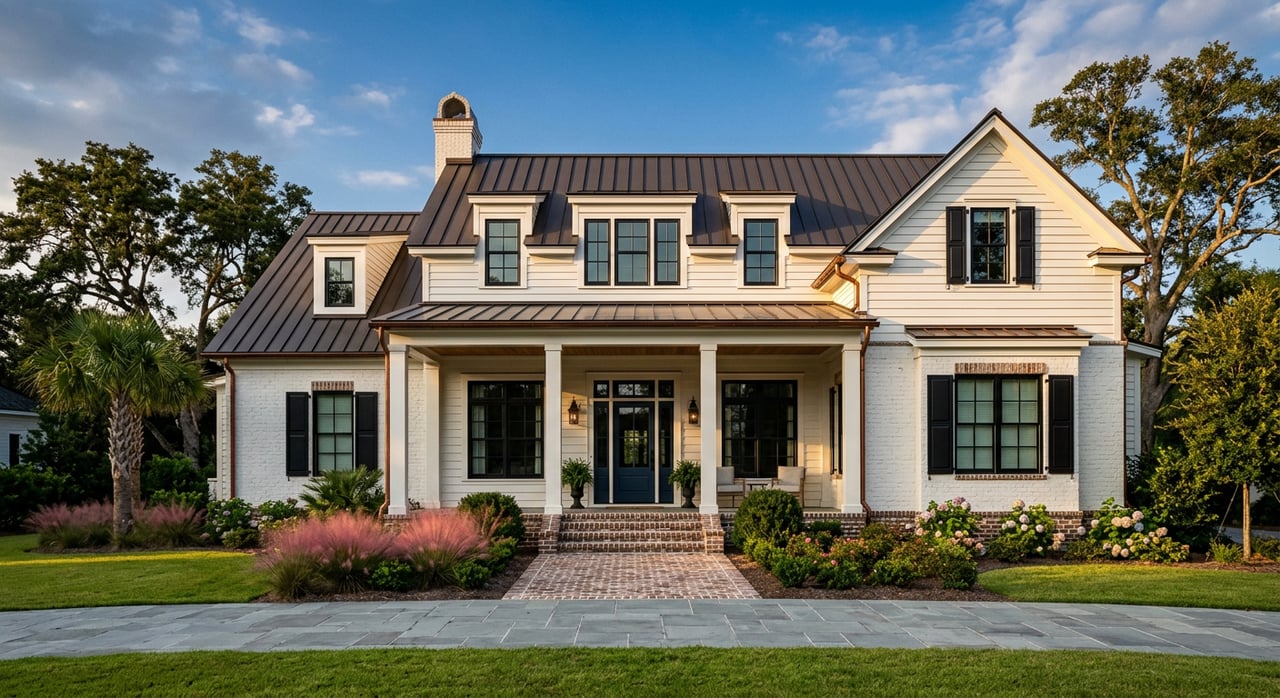
What if you could secure committed buyers for a Pawleys Island build before you pour the slab or set pilings? In a coastal market that draws vacationers, second‑home buyers, and investors, early demand can be the difference between a smooth construction timeline and a costly delay. You want a clear, visual way to help remote buyers feel confident, while also aligning with coastal permitting and lender expectations. In this guide, you will learn how 3D renderings, virtual tours, and short fly‑through videos help you pre‑sell new construction in ZIP 29585, what to produce, how to stay compliant, and how to measure results. Let’s dive in.
Why 3D visuals win in 29585
The Grand Strand draws a large pool of out‑of‑area buyers. Local visitor research reports millions of annual visitors and significant direct spending, which supports second‑home and investor demand across the coast. That buyer profile often starts the search from afar, so interactive visuals do heavy lifting before an in‑person visit. You expand reach and reduce friction when your project can be explored online through photoreal assets and virtual tours. See the region’s visitor scale in the Myrtle Beach Area Chamber’s industry research for context on demand drivers in the area’s leisure economy. Regional visitor research highlights the volume and spend that feed second‑home demand.
Interactive content also boosts engagement on listing platforms. Zillow’s analysis shows listings with a 3D Home tour earn more views and tend to go under contract faster on average. For a pre‑construction or early‑stage build, that lift helps you find serious buyers sooner and qualify interest from outside the market. This is especially useful when your plan types, views, and finish packages can be explored online. Review how 3D tours affect engagement in Zillow’s overview of virtual tour performance.
In Pawleys Island and the surrounding 29585 area, price bands and product vary across oceanfront, marsh‑adjacent, and inland neighborhoods. ZIP‑level indices have placed typical values in the low‑to‑mid $500K range in recent periods, with higher medians for certain property types. Treat those as directional. Validate price strategy with current MLS comps for your specific plan and lot. You can see ZIP‑level context on Zillow’s 29585 home values page.
Bottom line: 3D renderings and virtual tours reduce uncertainty for remote buyers, increase time spent with your listing, and help you convert interest into deposits faster.
Design for coastal rules from day one
Flood zones, NFIP and elevation
Much of Pawleys Island lies within FEMA Flood Zones AE and VE, and the Town participates in the National Flood Insurance Program. Finished floor elevation, elevation certificates, and flood‑resilient design are central to permitting and insurance. Your visuals should reflect realistic foundations, pilings where required, and correct finished floor heights. Learn more about local NFIP participation on the Town of Pawleys Island’s NFIP page.
State beachfront management and setbacks
South Carolina’s Beachfront Management Act sets baseline and setback standards that can limit what is allowed seaward of the setback line. For oceanfront sites, these rules influence footprint, siting, and certain structural choices. Make sure exterior renderings and site graphics respect these limits so buyers and lenders are not surprised later. You can review the statutory framework in the South Carolina Beachfront Management Act.
Show what will actually be permitted
Set visuals only after you have a current survey, base flood elevation, and preliminary feedback from local reviewers. Display realistic elevations, rooflines, stairs, and under‑building space. Label every rendering clearly as an artist’s rendering, and note that final permitted plans will govern. This protects buyer expectations and supports a smoother appraisal and underwriting process.
Use visuals to support lenders and appraisers
Lender presale thresholds vary
Presale targets are not one size fits all. High‑rise condo projects often face higher presale requirements, while small single‑family communities may see lower thresholds that lean on comps and sponsor equity. Expect terms to vary by lender type and market cycle. Use your visuals to demonstrate product positioning, absorption assumptions, and buyer interest, but plan for formal underwriting deliverables. For background on variability, see industry reporting on lender presale behavior.
Appraisals favor evidence, not hype
Appraisers rely on comparable sales and market absorption analysis. For proposed builds, photoreal renderings, interactive floor plans, and data on reservations or earnest deposits can increase confidence in projected values. They do not replace comps, but they document market acceptance and reduce perceived risk. The process is summarized in industry texts like the ULI development guide, which you can explore here: Professional Real Estate Development, ULI Guide.
Clear disclosures avoid friction
Mark all visuals as conceptual and subject to change. Disclose that final elevations, footprints, and finishes will follow approved plans and permitting outcomes. Include coastal hazard language where appropriate. This keeps marketing aligned with truth‑in‑advertising standards and reduces disputes later.
Your presale asset toolkit
Core deliverables to produce
- Site context package
- Short drone aerial video, 30 to 60 seconds, to show beach proximity, access routes, and neighborhood context. Use an FAA‑compliant pilot.
- Photoreal exterior renderings
- Two to four views showing facades, street presence, and sightlines where relevant. Make sure pilings and elevated foundations appear where code requires them.
- Interior renderings with finish options
- Three to six images per model. Offer at least two curated finish packages so buyers can visualize choices and price upgrades cleanly.
- Interactive 3D walkthrough
- A Matterport or similar model for a furnished model home or a fully rendered digital twin. This helps remote buyers measure, orient, and decide faster. For platform pros and cons, see this overview of real estate marketing tools.
- Animated fly‑through
- A 30 to 90 second video that moves through main living spaces, then out to porches and community views. Ideal for ads and lead capture.
- Interactive floor plans and configurator
- Clickable plans where buyers can toggle finishes and upgrades to see real‑time pricing impacts.
- Project microsite with CRM tracking
- Gated tours, downloadable plans, and an inquiry form that feeds your CRM. Track lead source and tour engagement.
Production sequence and timing
- Weeks 0 to 2: Finalize permit‑level drawings, survey with base flood elevation, and finish packages.
- Weeks 2 to 4: Capture drone aerials and site photography. Commission initial exterior massing and refine to photoreal.
- Weeks 3 to 6: Build the 3D model of interiors and exteriors. Produce interior renders and a draft fly‑through.
- Weeks 6 to 8: Complete the interactive tour, launch the project microsite, and verify legal disclaimers. Prep listings, digital ads, and broker previews.
This schedule assumes early clarity on flood elevations and coastal setbacks so your visuals reflect permitted conditions.
Budget ranges to expect
- Matterport or similar capture and hosting typically ranges from about 150 to 600 dollars per space when using a professional. Subscription tiers and the number of active models affect monthly cost. See platform considerations in the marketing tools overview.
- Photoreal exterior renderings often start near 300 dollars per image for basic work and can exceed 1,500 dollars for mid‑ to high‑end images, especially with aerial context or complex landscaping. Explore typical pricing factors here: How much 3D rendering costs.
- Animated fly‑throughs commonly range from about 1,500 to well over 15,000 dollars depending on run time, realism, and edit rounds. The same cost drivers apply as above.
- Interactive configurators and web integration can span 2,000 to 15,000 dollars depending on whether you use a template or need custom data and pricing logic.
Launch plan and KPIs to watch
A focused launch helps you reach remote buyers quickly and prove demand to stakeholders.
- List with 3D tour badges active on major platforms and your microsite.
- Target digital ads to out‑of‑area markets that already send visitors to the Grand Strand.
- Host a virtual broker preview and on‑site open with QR codes to the tour and finish configurator.
Track these metrics during the first 60 to 90 days:
- Listing views and 3D tour completions
- Lead conversion rate from tour views
- Earnest deposit conversion within 30, 60, and 90 days
- Days to reach your presale target and average time from reservation to contract
- Cost per presale by dividing total production and marketing spend by the number of deposits
Local partners and vendor picks
Lean on regional networks to find vetted pros for capture and production. The Horry‑Georgetown Home Builders Association offers a local directory you can use for referrals to subcontractors and photographers. Browse the Horry‑Georgetown HBA directory.
For immersive capture and interactive tours, Matterport, iGUIDE, and similar platforms are widely used and supported. For exterior photorealism and cinematic fly‑throughs, specialized rendering studios often deliver the best results. Compare features and costs using the real estate marketing tools guide and the rendering cost overview.
Next steps for 29585 projects
- Confirm your price strategy. ZIP‑level indices for 29585 have trended in the low‑to‑mid 500K range in recent periods, but you should validate with a current MLS snapshot and lot‑specific comps. For directional context, review Zillow’s 29585 values.
- Align with lenders early. Ask prospective lenders about required presale levels and the use of deposits for construction financing. Expect variability by product and lender type. See industry reporting on presale expectations.
- Lock down coastal constraints first. Obtain survey, base flood elevation, and early feedback from Pawleys Island or Georgetown County reviewers so your visuals reflect permitted elevations and setbacks. Reference the Town’s NFIP information here.
- Produce the core visuals. Start with exteriors, interiors, and a short fly‑through. Add the interactive tour and configurator as soon as a model or a complete digital twin is ready.
- Launch, measure, and refine. Track KPIs weekly and update your assets, copy, and finish packages based on lead feedback.
If you want an integrated partner who can coordinate permitting inputs, create 2D and 3D assets, and run a presale campaign that fits coastal realities, connect with PRL Consulting Group, LLC for a project consultation. We combine brokerage, entitlement guidance, and visual marketing to help you move from plan set to presold with confidence.
FAQs
What makes 3D renderings effective for Pawleys Island presales?
- The Grand Strand’s large out‑of‑area buyer pool relies on remote decision tools. 3D tours and renderings increase listing engagement and help serious buyers commit sooner, which supports faster presales.
How should I handle flood zones and elevations in my visuals?
- Base all exteriors on current surveys and base flood elevations, show elevated foundations or pilings where required, and label renderings as conceptual. Refer to the Town’s NFIP guidance for context.
What is a realistic budget to pre‑sell a 10‑home coastal project?
- A lean package might include 2 to 4 exterior renders, 3 to 6 interiors per model, one fly‑through, and a Matterport or similar tour, often totaling a few thousand to low tens of thousands of dollars depending on quality and scope.
Do lenders count virtual tours as part of presale requirements?
- Tours do not replace executed contracts, but they support underwriting by documenting market positioning and buyer interest. Lender presale thresholds vary, so verify targets with term sheets.
How should I label renderings to avoid appraisal or buyer issues?
- Use clear labels such as “artist’s rendering” and note that final elevations, setbacks, and finishes follow permitted plans. Include coastal hazard and variance language where appropriate.